 Divengine Studio
Structured knowledge, not a pile of documents
In Studio, intent, rules, requirements, decisions, models and documentation are separate records with explicit relationships. Each one can be reviewed, versioned and found on its own, and each one points to what it depends on.
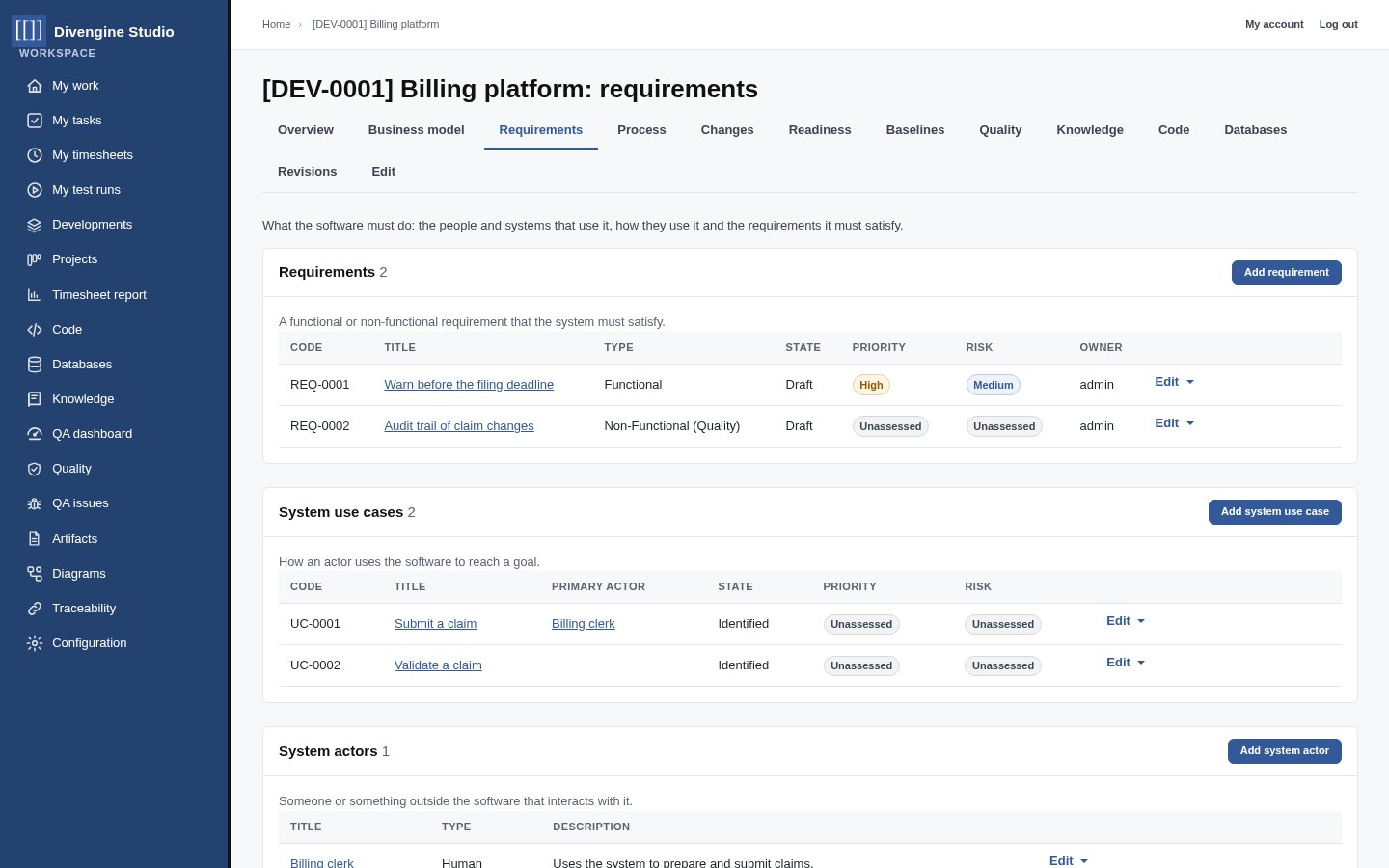
From business rules to system requirements
Describe the business (actors, workers, business use cases and rules) before the software. Then capture system actors, use cases and functional and non-functional requirements, each with a state, a priority, a risk and an owner.
- Lifecycles with explicit transitions: draft, in review, approved, baselined
- Revisions of every change, with who and why
- Use cases that include or specialize others, never in a cycle
Decisions, risks and evidence have a place
The parts of engineering that usually stay implicit get their own record types, with codes and revisions like any requirement, and typed traces to the records they explain.
Decisions DEC
An architectural or design decision with its rationale and the alternatives considered, linked to the requirements and models it shapes.
Risks RSK
Identified risks with their impact assessment and mitigation strategy, and traces to the records that mitigate them.
Evidence EVD
Evidence of engineering activity, review, verification or validation, which other records can point to.
Standards STD
References to the standards and regulations a solution has to respect, traceable like anything else.
Knowledge references KR
External knowledge a team relies on, recorded and linked rather than remembered.
Method fragments MF
Reusable practices, techniques or process fragments a team adopts, kept as records that work can refer to.
Models next to the records they describe
Studio has a diagram platform: diagrams are records with revisions and moderation, notations are plugins, previews are sanitized SVG, and diagram elements can link to the records they represent.
BPMN
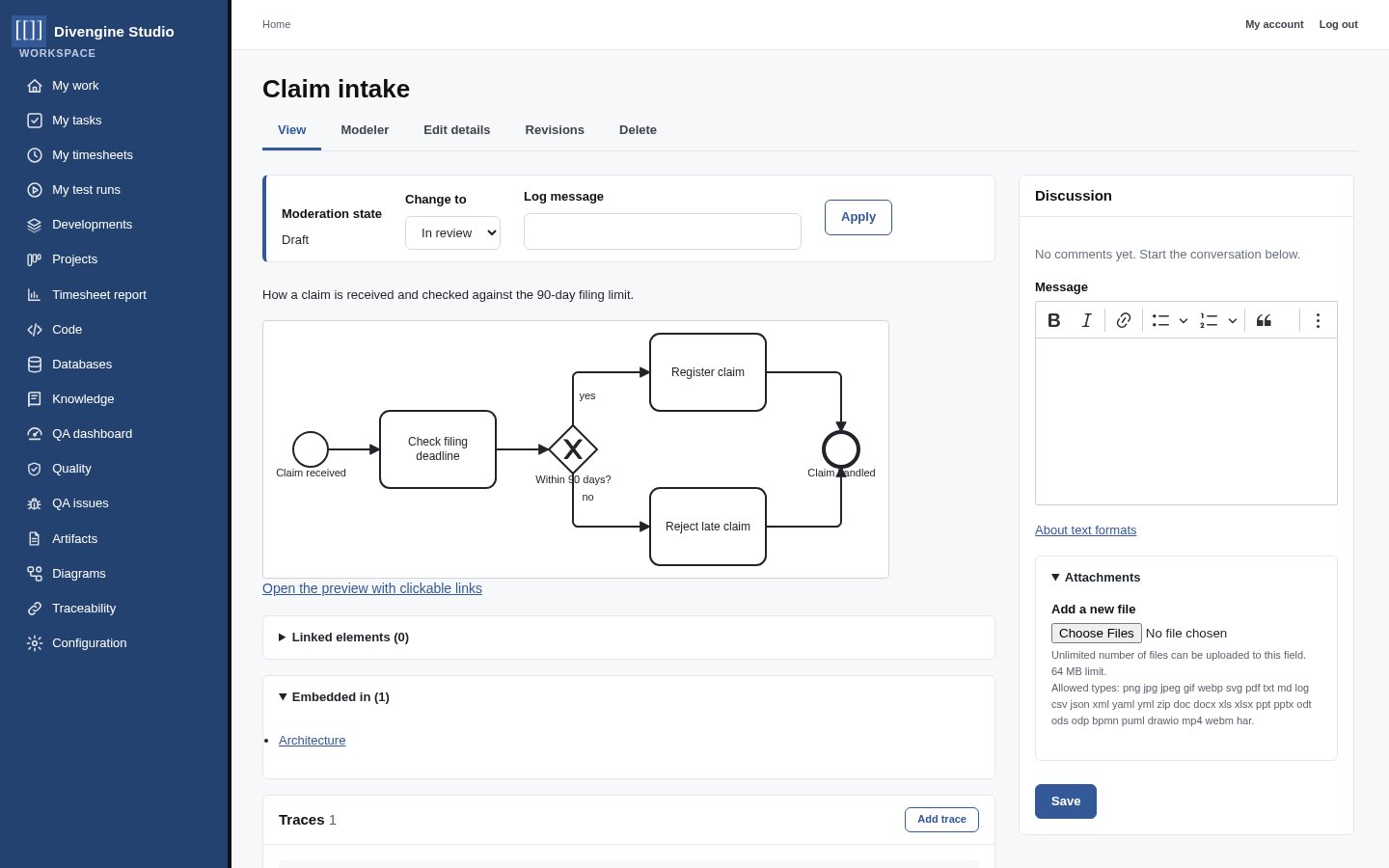
A BPMN 2.0 modeler (bpmn-js) runs inside Studio, with the engine bundled, not loaded from a CDN. Elements link to the actors, rules and use cases they represent, and those records list the diagrams that reference them.
- Safe SVG previews with clickable links
- Embed any diagram in an article or a description
UML
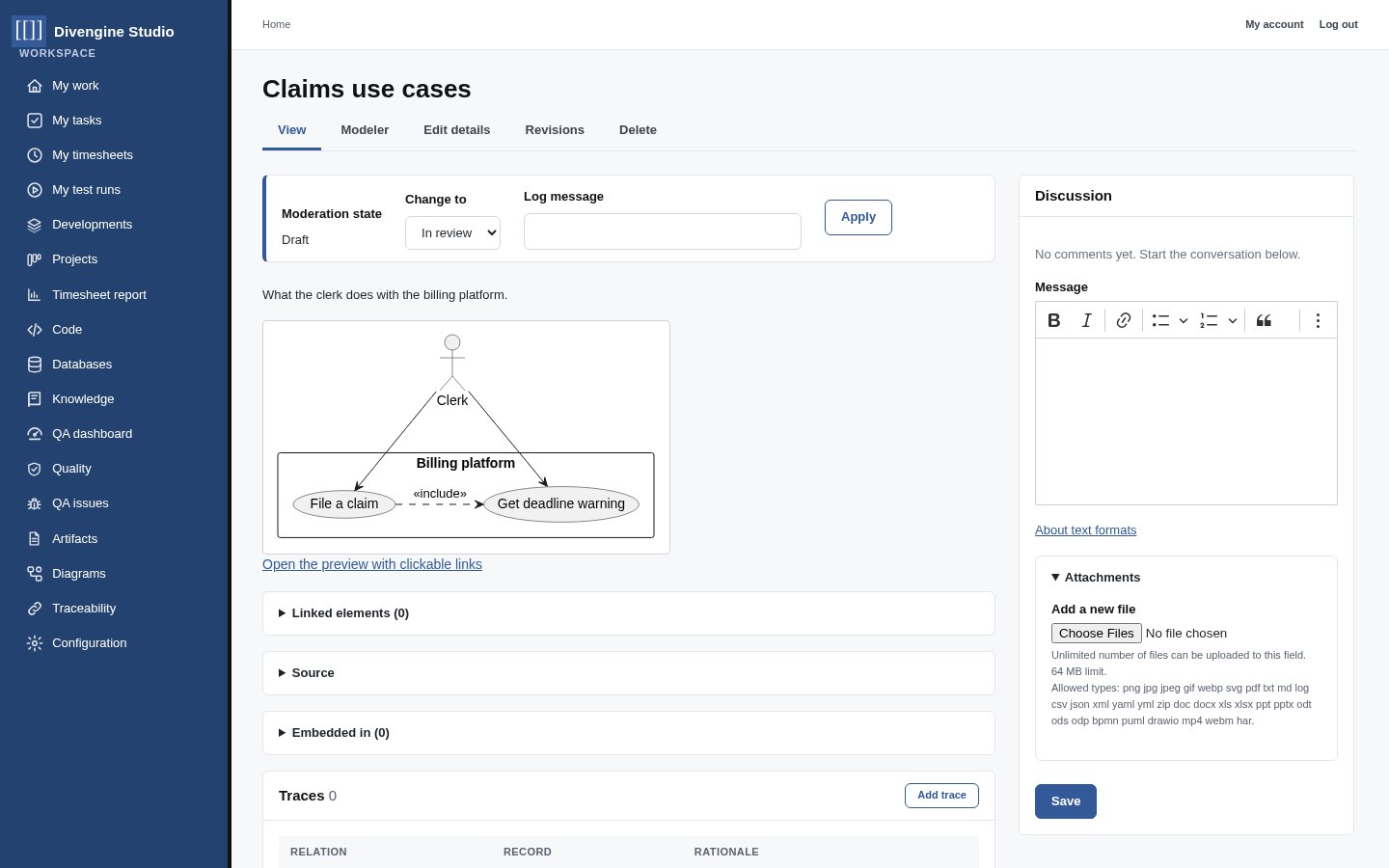
Write PlantUML in a split editor and see the diagram live: use cases, classes, sequences, states, components. The engine runs in the browser, external includes are rejected, and bound elements link to real records.
From diagrams to semantic models
Today a diagram is a document whose elements can link to records. The planned Modeling Foundation adds a semantic model repository, where model elements and their relationships are themselves versioned, access-controlled records, and diagrams become views of them. Existing diagram types keep working unchanged.
Semantic model repository
Development-scoped models, elements and typed relationships with stable identity, revisions, validation and traces to other records.
Language extensions
Metamodel extensions for UML, BPMN, IFML, ArchiMate, DMN and CMMN, each keeping its own semantics.
Concept maps & UI modeling
Concept maps as views of curated concepts and propositions, and a UI modeler for interface and form design.
These are roadmap items, designed in the open in the Studio issue tracker. See the roadmap for what is planned and in what order.
Documentation that knows what it talks about
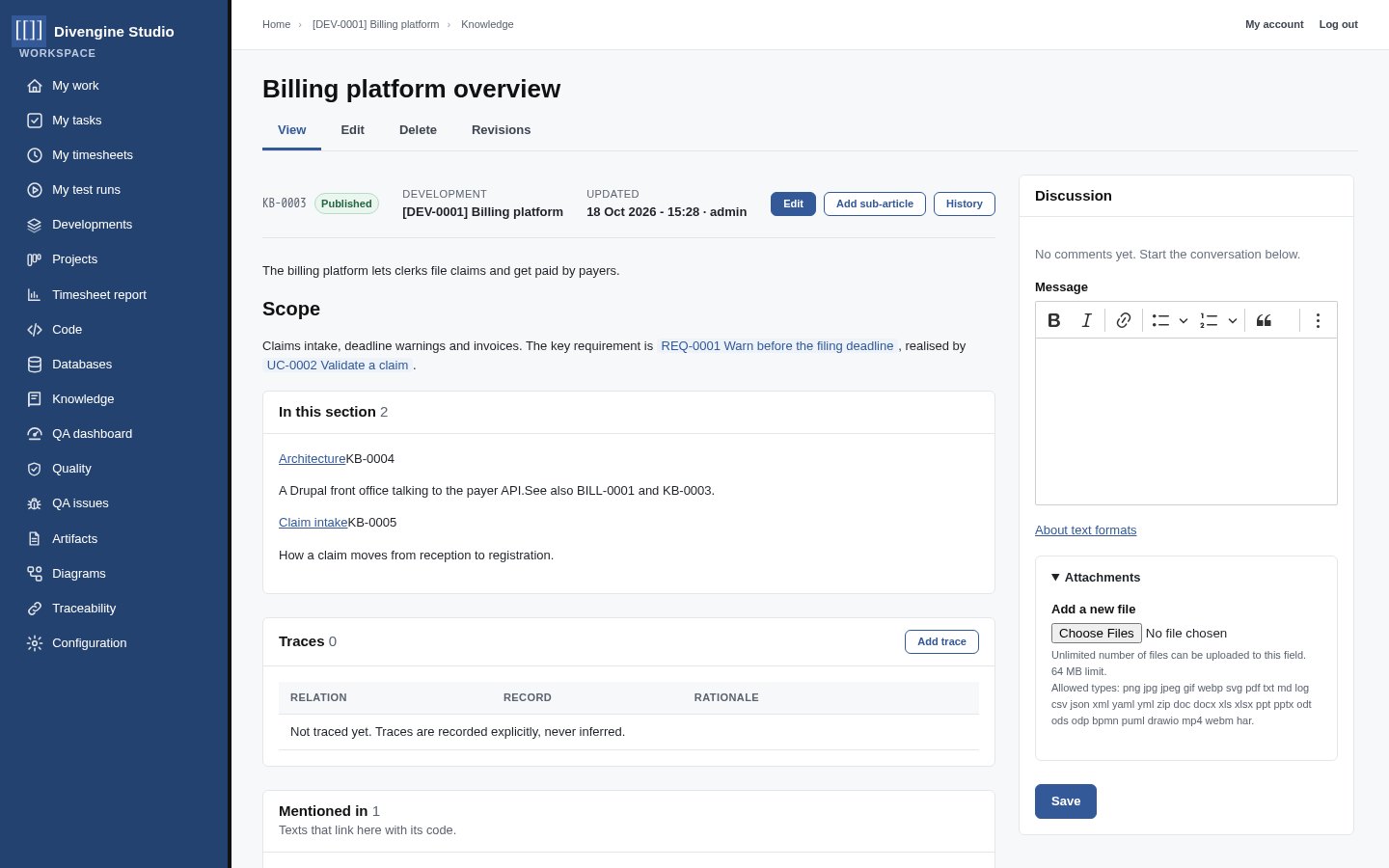
Write articles in a tree per Development: overviews, architecture, how-tos, onboarding. Mention [[REQ-0001]] or [[UC-0002]] and the text links to the record, which lists the article under “Mentioned in”. The narrative stays readable; the records stay authoritative.
- Hierarchy of articles with sections and sub-articles
- Diagrams embedded in the text, always the current revision
- Access follows the Development
Then prove it works
A requirement earns its place when evidence shows it holds.