 Divengine Studio
Plan the work next to the reasons for it
Tasks in Studio live next to the requirements, diagrams and tests they are about. Boards for the day to day, timesheets for the honest numbers.
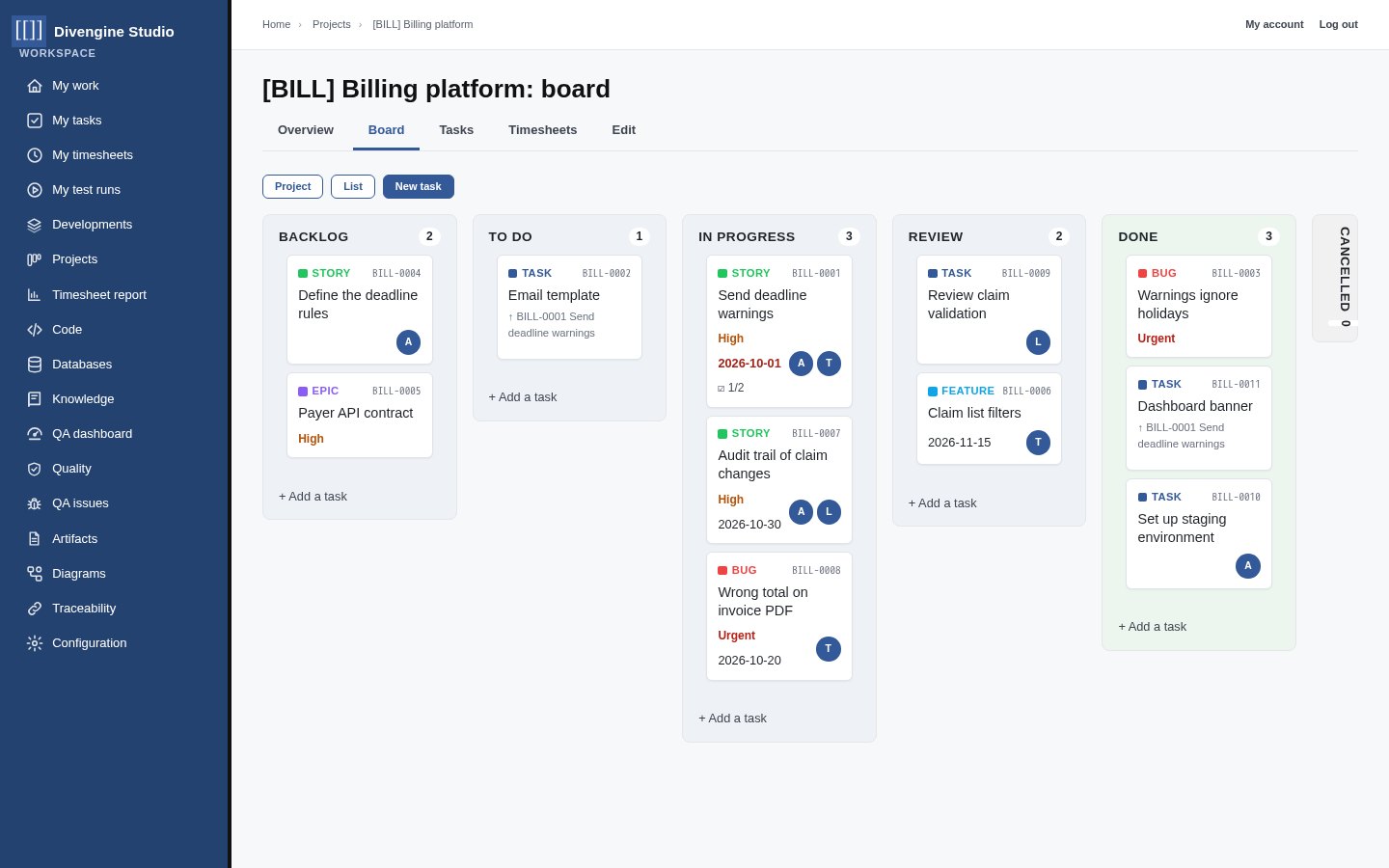
Kanban boards for every project
Projects and subprojects hold tasks of different types (stories, features, bugs, epics), with priorities, deadlines, assignees and stages. Drag cards across the board, split them into subtasks, relate them to each other.
- Codes for every task (
BILL-0001), linkable anywhere - Members per project, inherited by subprojects
- Comments and attachments on every task
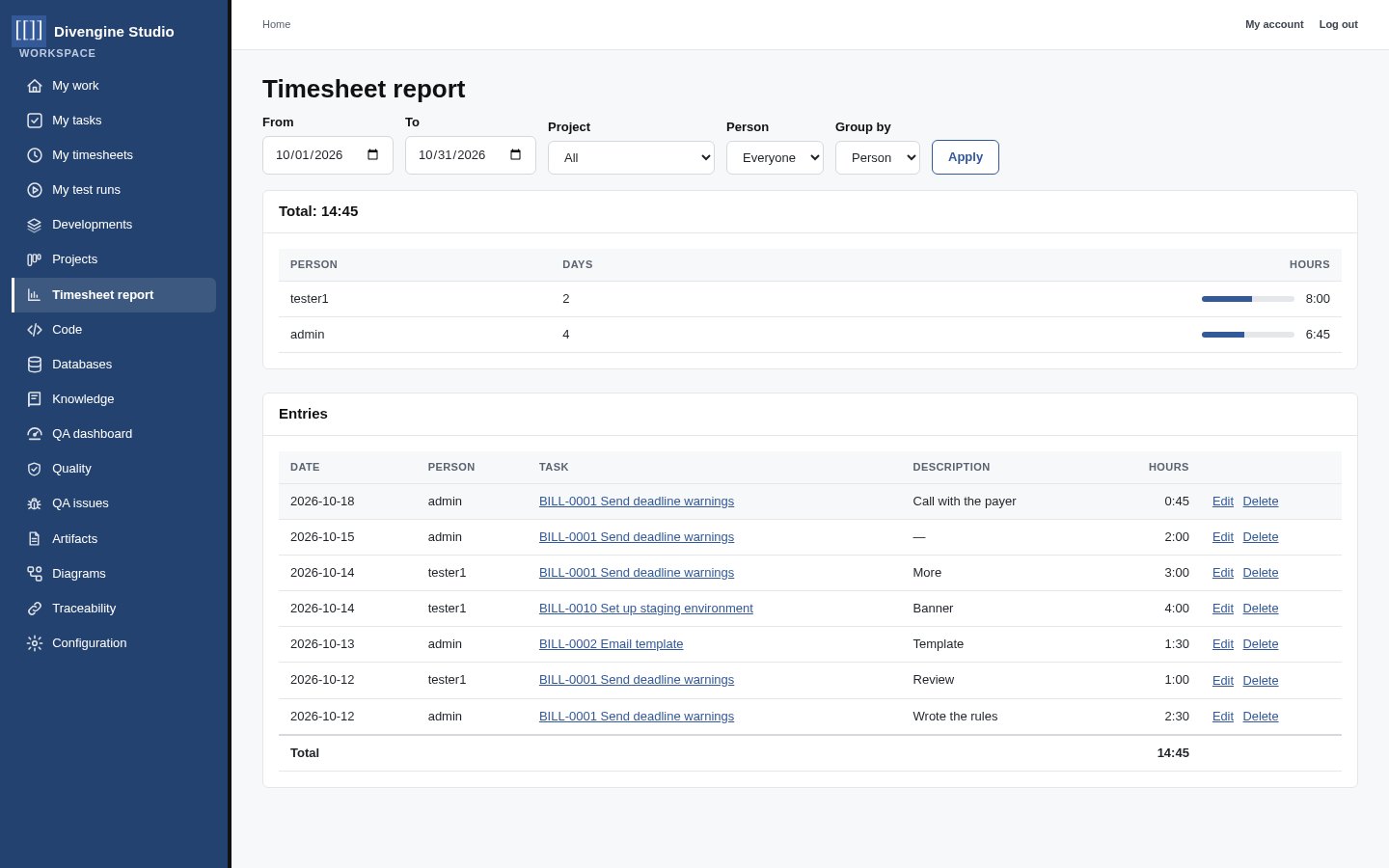
Time where it was spent
Start a timer on a task or fill your weekly grid. Allocated time versus time spent is visible on each task, and reports group hours by person, project or task for any period.
- Everyone logs their own time
- Project managers see everyone's time on their projects
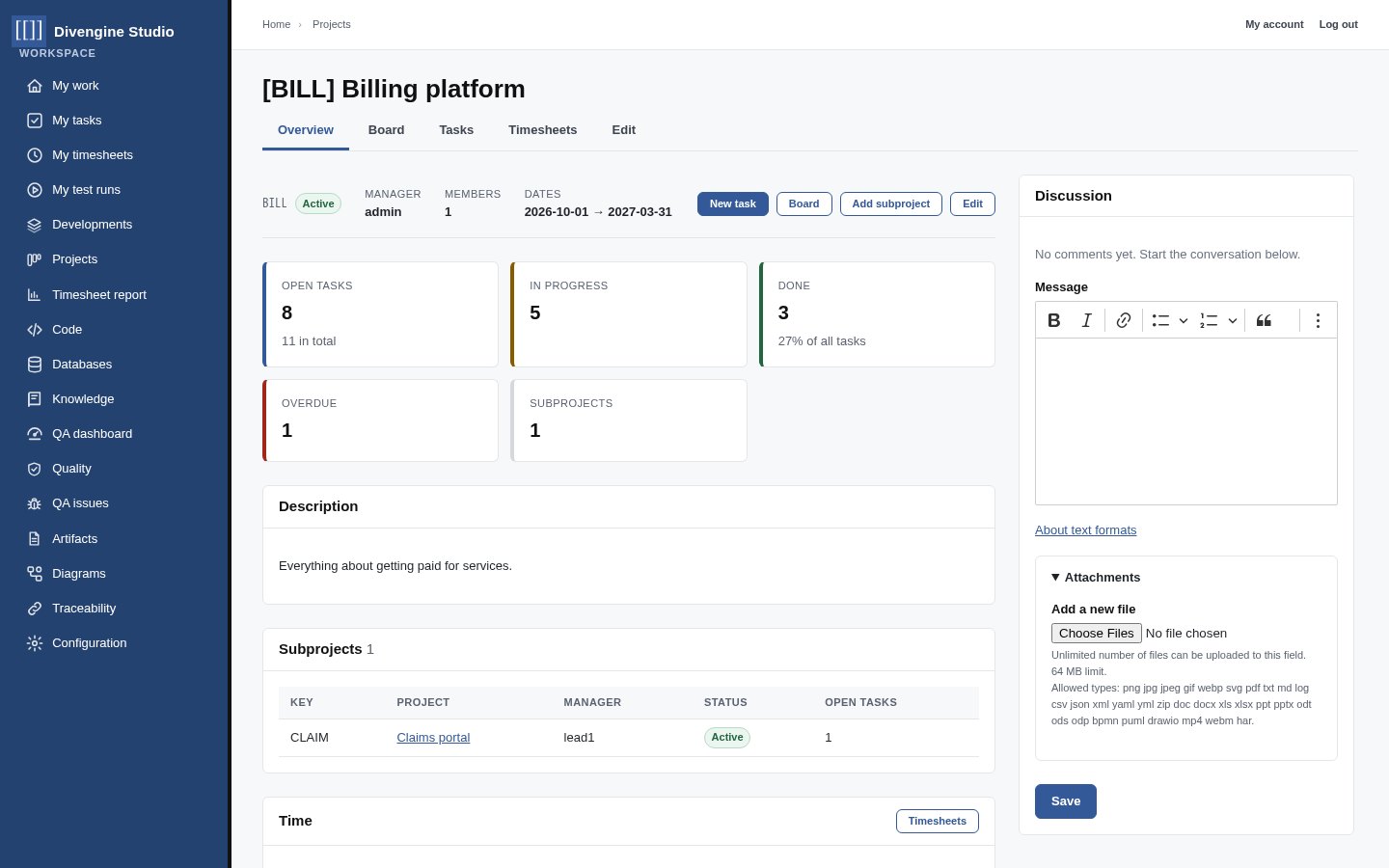
Projects that belong to Developments
A project overview shows open, in-progress, done and overdue work, its subprojects and the time spent. Tasks link to the diagrams and artifacts they are about, so project work and engineering records stay connected.