 Divengine Studio
One workspace for what your team knows
Divengine Studio organizes engineering work around Developments: a product, a release, a project. Everything that explains, plans, builds and proves that Development lives inside it, connected.
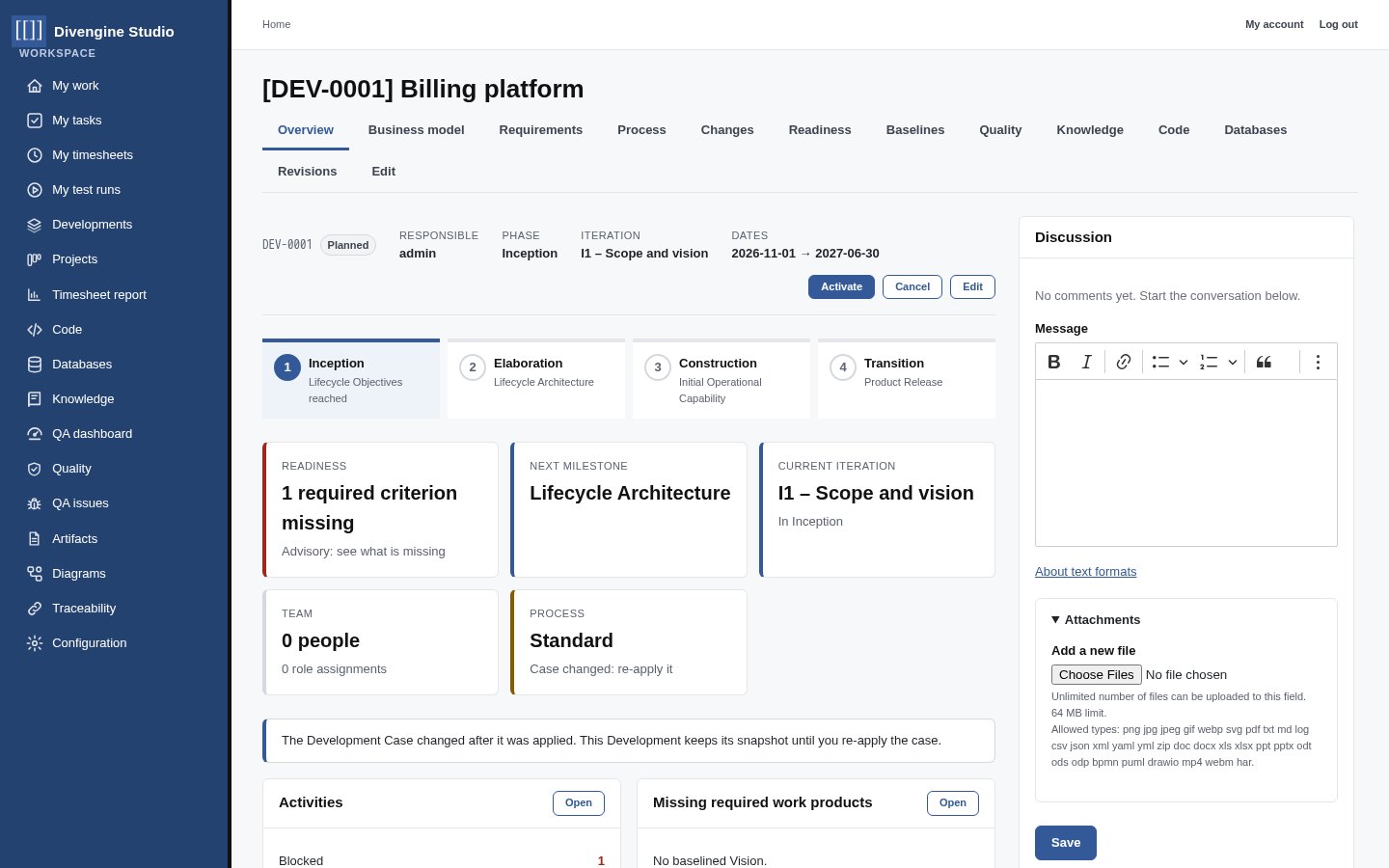
Start from the Development, find everything
A Development has a responsible person, members, a process and a timeline. Its tabs give you the business model, the requirements, the process, change requests, readiness, baselines, quality, knowledge, code and databases.
- Phases, iterations and milestones at a glance
- A readiness card that says what is still missing
- Visibility follows membership: people see the Developments they belong to
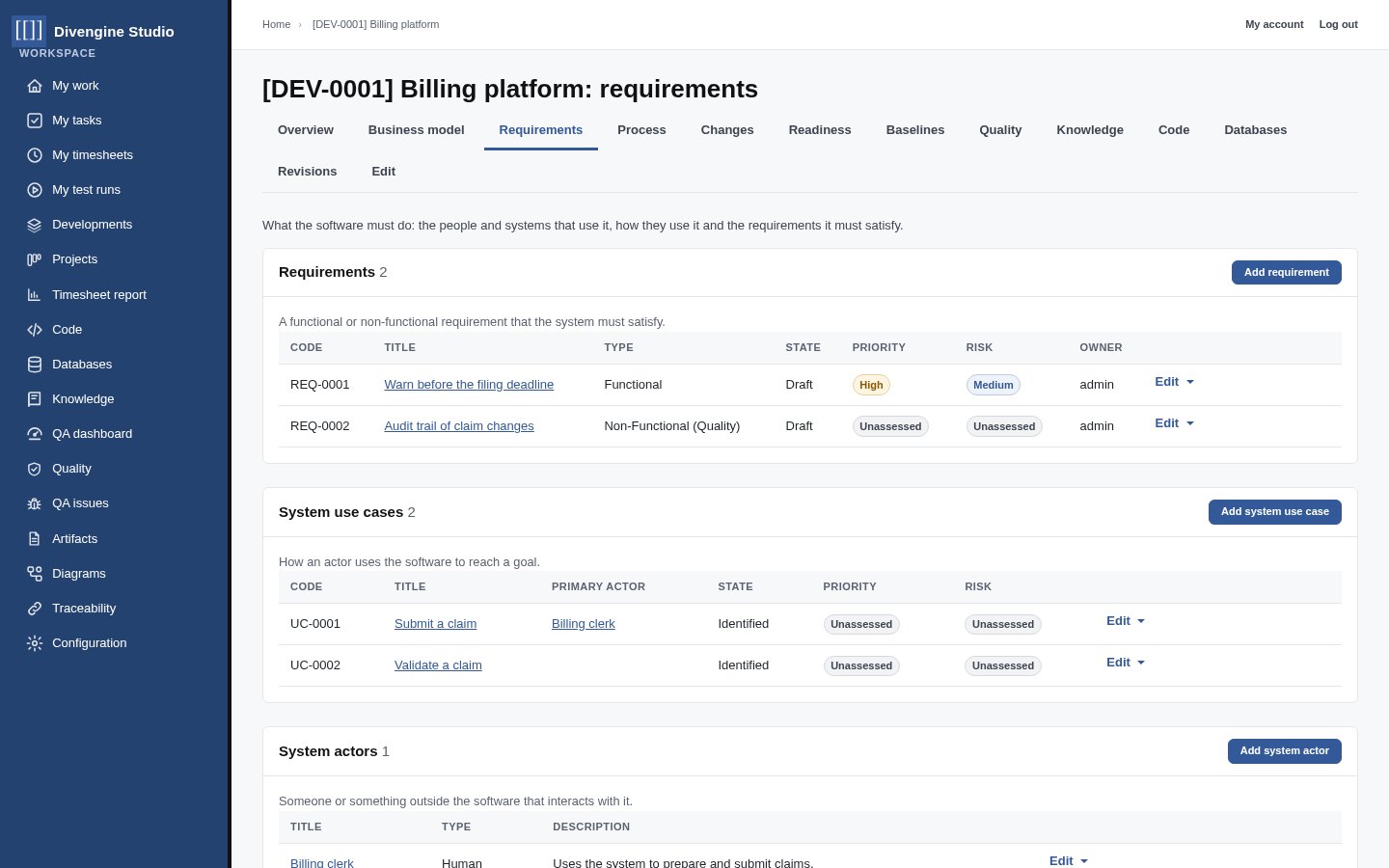
Every record has a code and a history
Requirements, use cases, actors, rules, decisions, diagrams, tests, tasks, repositories and databases are real records with a code (REQ-0001, UC-0002, SRC-0001), an owner, a state and revisions.
- Lifecycles with explicit transitions, from draft to approved
- Revisions kept; baselines freeze the exact versions agreed
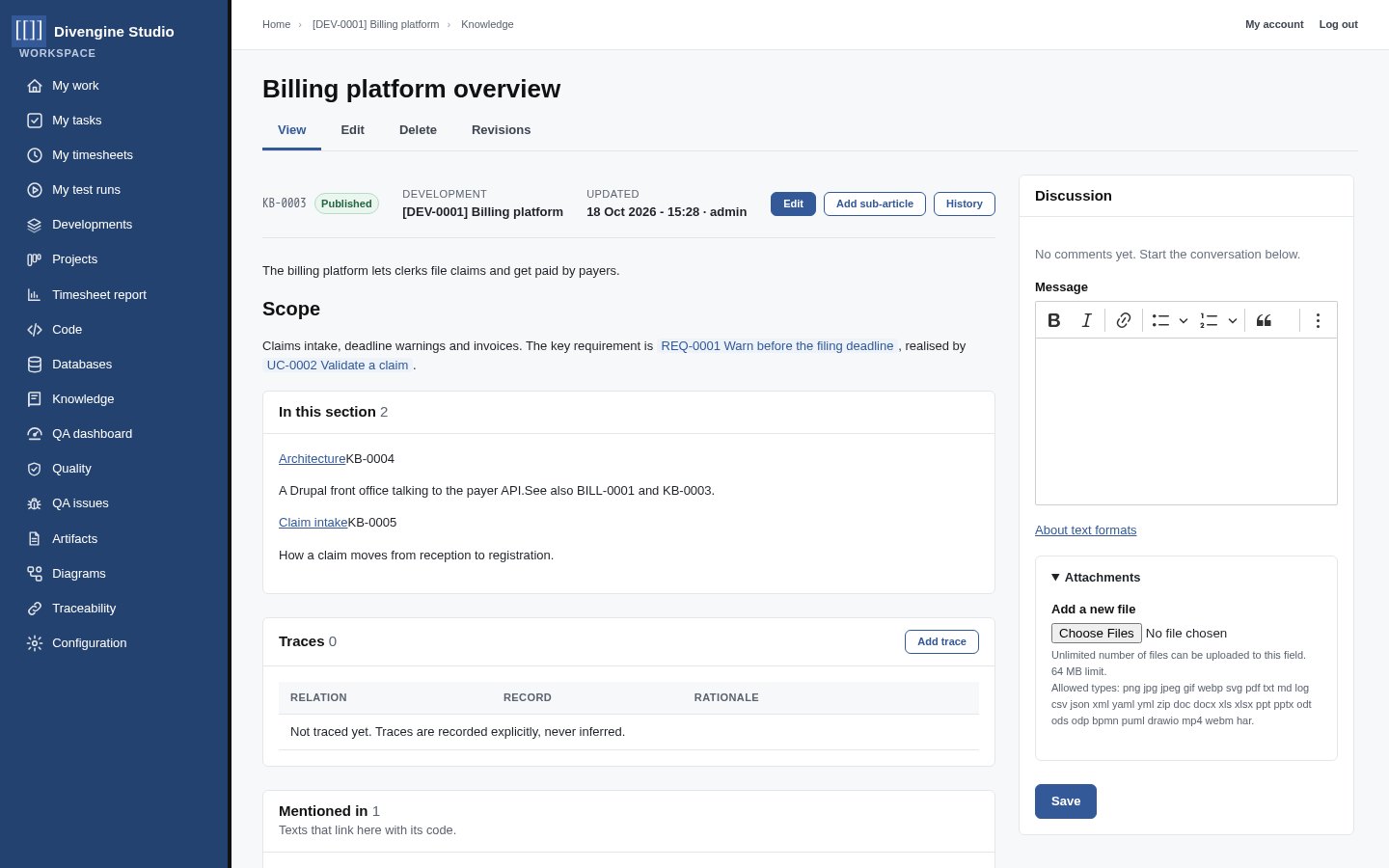
- Write
[[REQ-0001]]anywhere and it becomes a link, with “Mentioned in” on the other side
Discuss any record, attach anything
Each record carries its own discussion panel with private attachments: the requirement, the test run, the database, the article. No more decisions lost in chat threads that nobody can find six months later.
- Rich text with links to other records
- Attachments stored privately, visible only to who can see the record
- Explicit traces, never inferred: “refines”, “verifies”, “realizes”…
Each role gets the view it needs
Analysts
Capture business actors, use cases, rules and requirements, and see what is still unapproved.
Architects
Keep BPMN and UML models next to the requirements they serve, with real links between elements and records.
Process owners
Run Developments through phases and milestones with honest readiness checks and change control.
Testers & QA leads
Design plans, execute runs step by step, record evidence, report issues, show coverage.
Team leads
Plan work on boards, split it into subtasks, follow time spent against estimates.
Developers
Find what a feature should do, why, how it is tested, and read the code and the schema next to it.
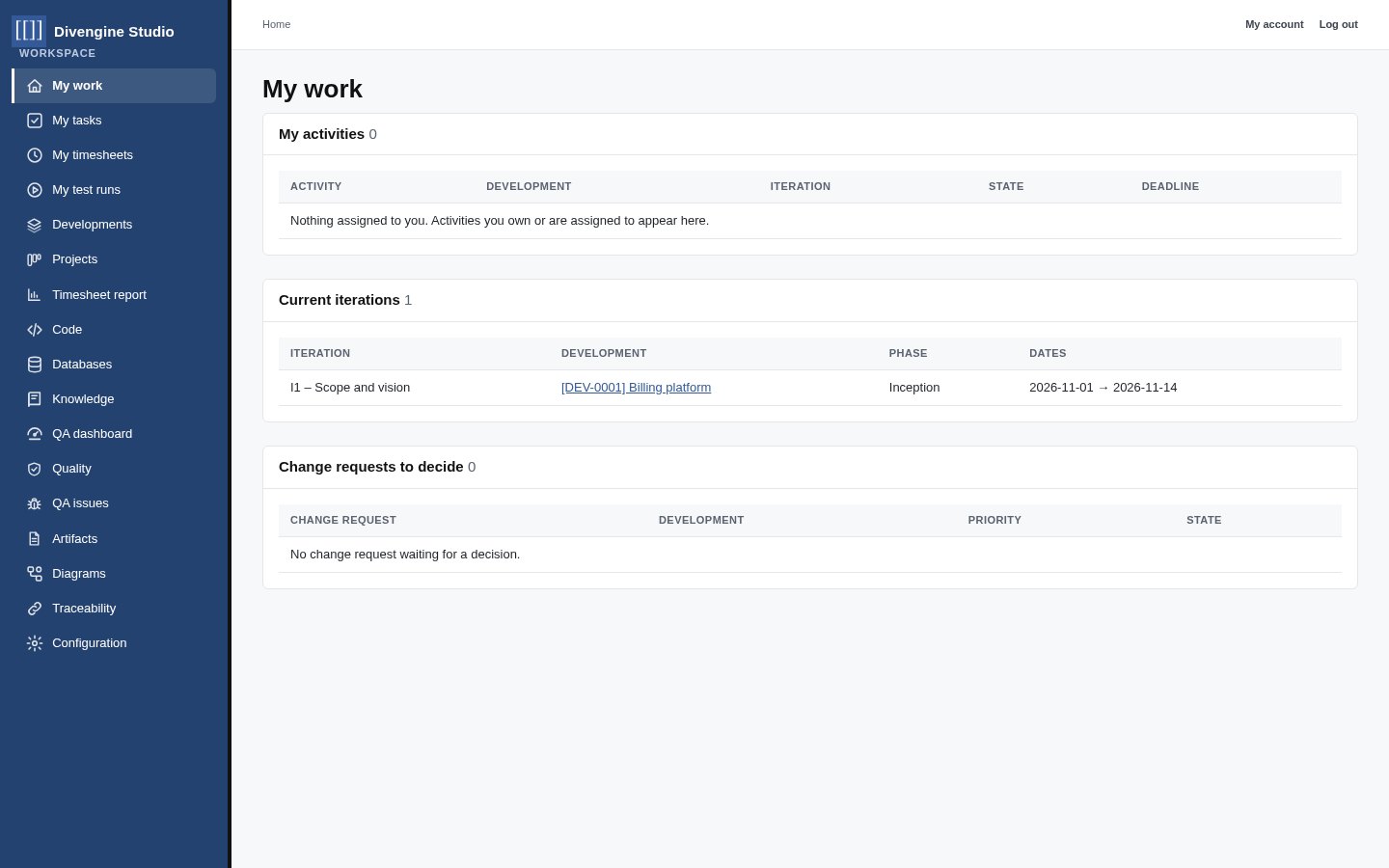
My work, my tasks, my runs
Everyone starts from their own queue: the activities assigned to them, the current iterations of their Developments, change requests waiting for a decision, their tasks, their timesheet and the test runs they have to execute.
Business users always work in the Studio workspace, a clean interface designed for engineering work, not a CMS back office.